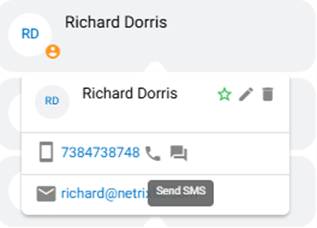
Personal Contact Directory allows users to create/save a personal contact directly within the nVX User Portal and Mobile Apps.
Click on the icon available here to create a contact
A modal window will show up as seen below, fill in the required information here:
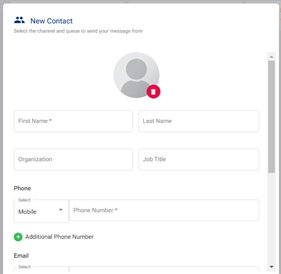
Click Save Contact to add the new contact to your Personal Contact Directory or click Cancel button to cancel contact creation.
The added contacts will be shown under the personal section of Contacts tab
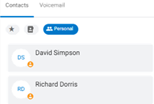
To view contact cards, hover over the contact name in the directory. Contact cards will include name, job title, phone number and email address.
When viewing the contact card, hover over the phone number you would like to call. Click the phone icon to place the call.
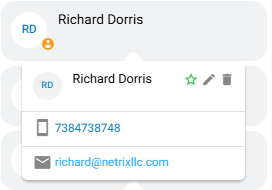
When viewing the contact card, hover over the email address you would like to email. Click the email address to open an draft email.
When viewing the contact card, hover over the phone number you would like to send an SMS to. Click the SMS icon to open a draft SMS.