
The nVX User Portal should be accessed via Google Chrome™ (TetraVX supports the most recent stable version; note that Google Chrome applies updates automatically).
Step 1: Open a Google Chrome browser window.
Step 2: Enter your organization’s unique URL for the domain you are accessing. (https://”domain”.tetravx.com)
Step 3: Click on “Log in with Single Sign On” if using SSO, or click on “Log in with nVX” if using a local account
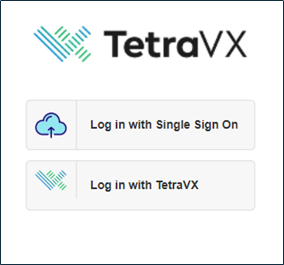
Step 4: Enter credentials and click on the “Log in with nVX” button.
Step 5: If you are configured as an admin, log in will take you to the admin portal. You will then need to click on the User Portal at the top.
Once logged into the portal, you will see two icons at the top left of the screen, identified by “S” and “N”. Verify that the icons are green to ensure registration.