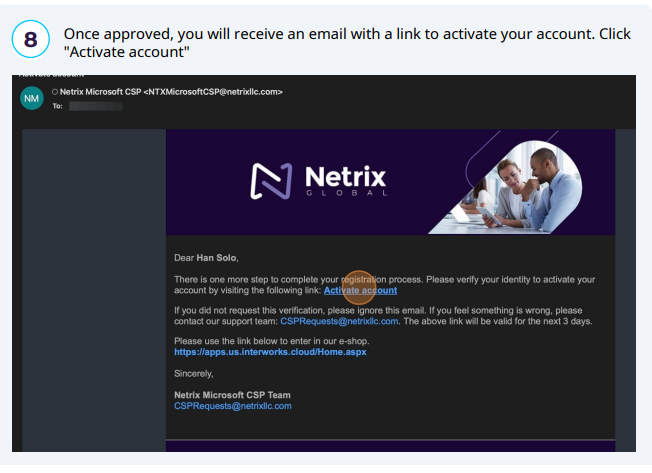
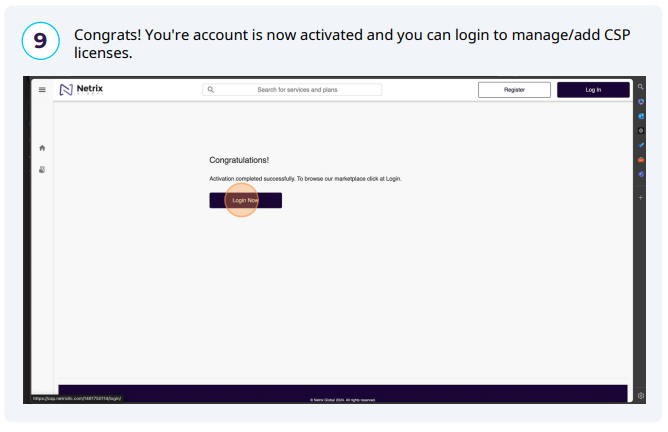
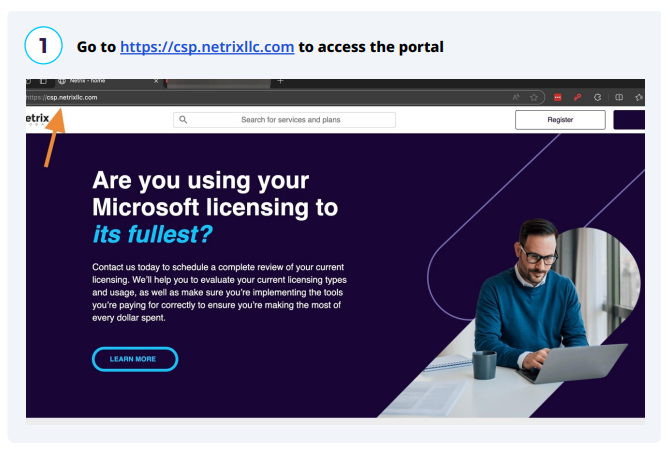
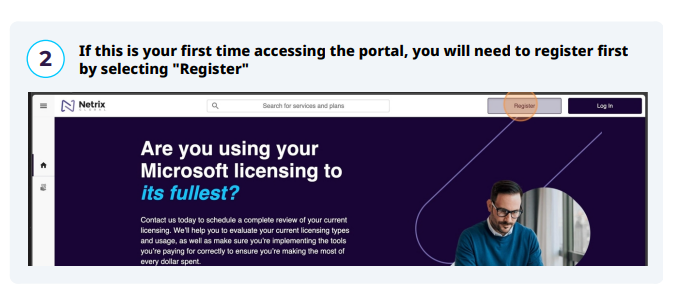
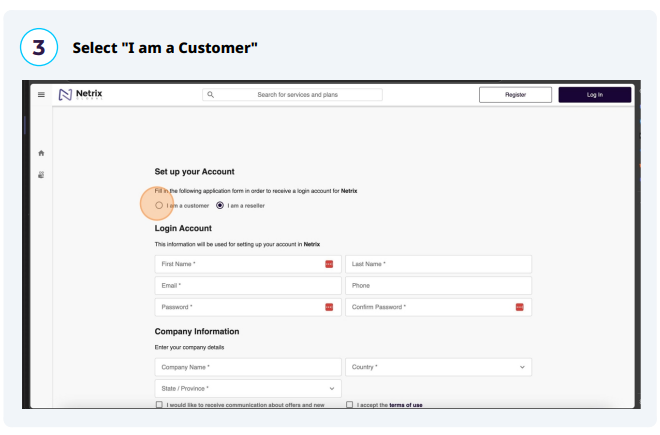
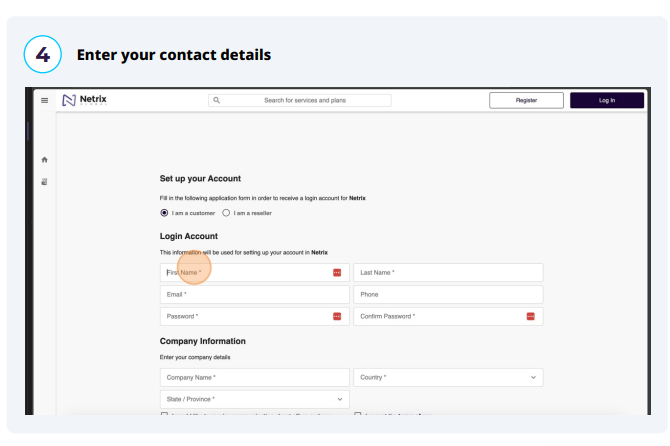
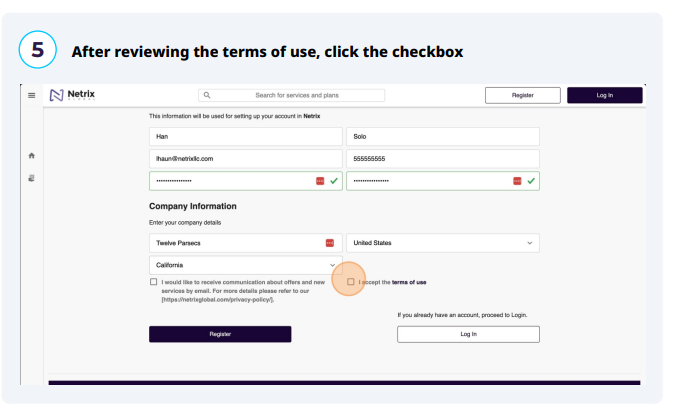
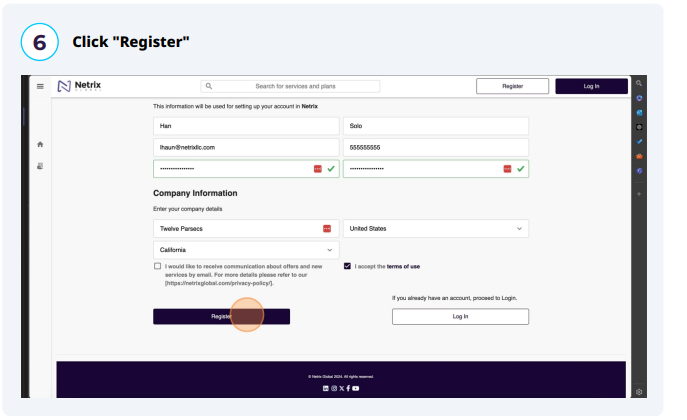
This guide provides a step-by-step process for registering and accessing the Netrix CSP Portal, making it easy for users to navigate the registration system. It simplifies the potentially complex steps involved, ensuring that users can efficiently complete their registration without confusion. By following this guide, users will gain quick access to the portal and its recources, enhancing their experience with Netrix services.
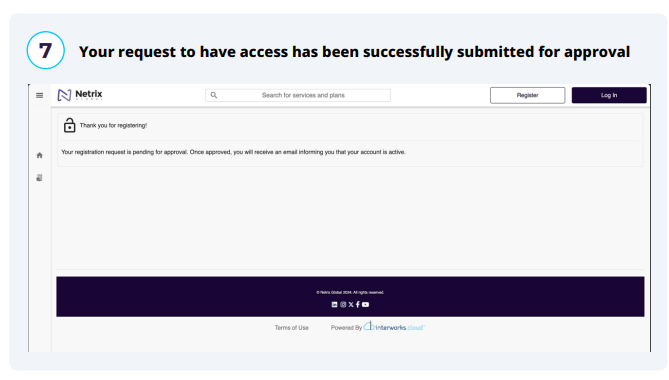
Access to the portal must be approved by Netrix and/or the administrator for your
company. If you’ve not received approval or any status updates on your request
within 48 hours, please email CSPRequests@netrixllc.com for assistance