Step 1: Select the Additional Settings icon in the bottom left of portal to open a pop-up.

Step 2: Click on the Microphone icon.

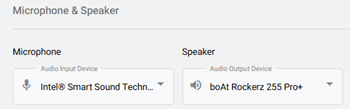
Step 3: Select the devices from the options listed. (This is pulled from windows)
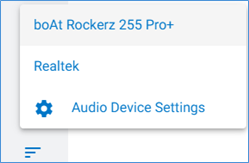
Step 1: Click on the Settings icon on the left

Step 2: Select the Audio Device option.
Step 3: Select the devices from the dropdowns of the microphone and speaker.