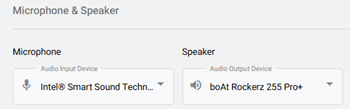
To view Audio Device Settings, first select the Settings tab on the left navigation.

Select the Audio Device option.
Microphone: In the dropdown, choose the microphone you’d like to use from the list of detected microphones.
Speaker: In the dropdown, choose the speaker you’d like to use from the list of detected speakers.